Browse 110+ Media and Streaming Appliances on the NetActuate Media Marketplace
Explore


Browse 110+ Media and Streaming Appliances on the NetActuate Media Marketplace

By clicking "Accept all" you allow cookies that improve your experience on our site, help us analyze site performance and usage, and enable us to show relevant marketing content. You can manage cookie settings below. By clicking “Confirm selection” you agree with the current settings.
.jpg)
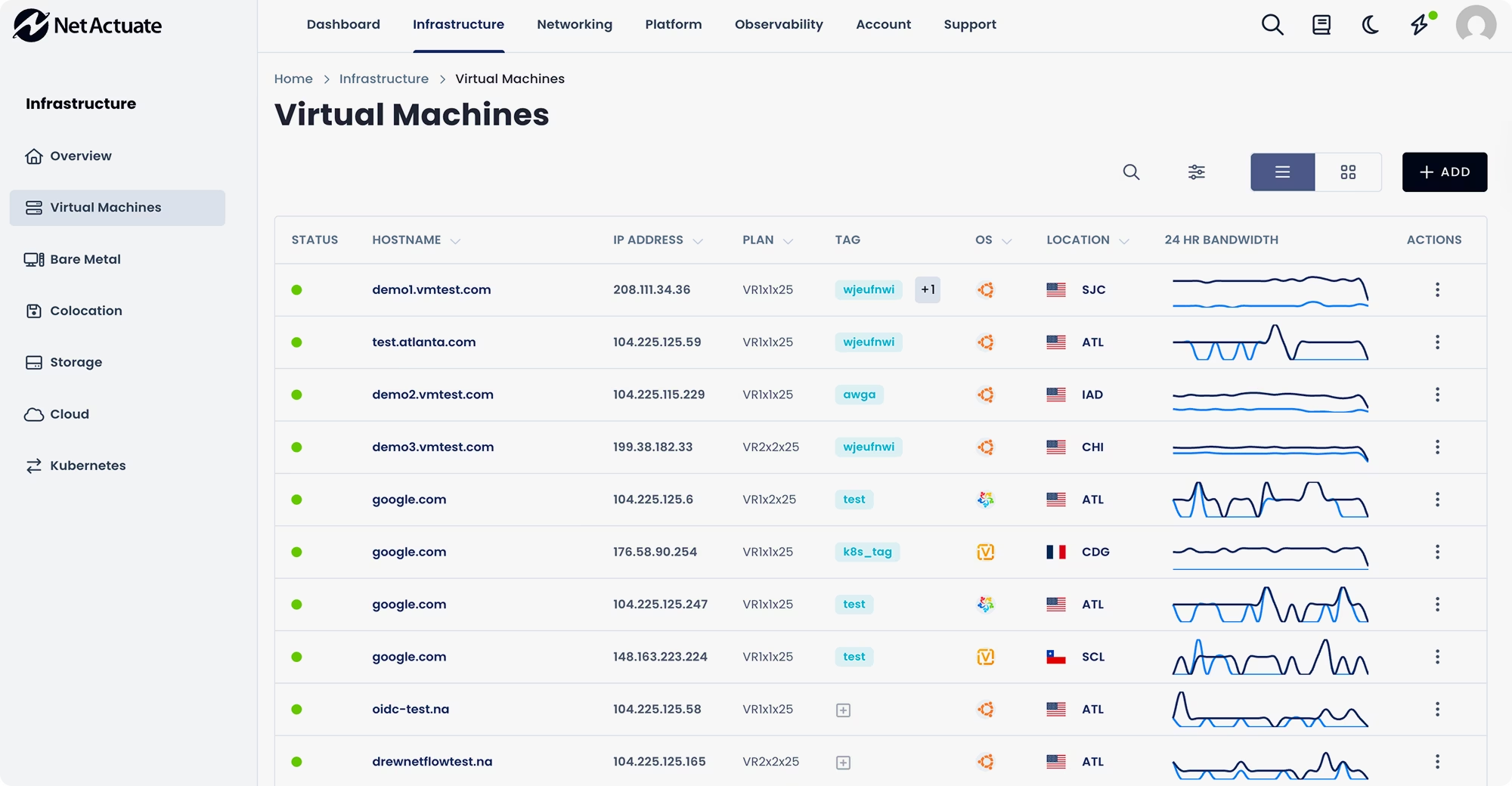
Set up new instances, adjust settings, and get insights into all of your VMs in one place.


Play

All VM instances are backed by dedicated (non-shared) compute resources. This ensures consistent performance without noisy neighbors.
All VMs come with 10 Gbps port speed, dedicated IPv4 and IPv6 addresses, unlimited inbound transfer (outbound transfer based on contract).
Configure the exact amount of RAM, CPU, and Storage you need and see exactly what you’ll pay before you deploy.
Choose between Intel compute with competitive pricing, AMD EPYC highly optimized processors, and NETINT Quadra VPUs for video workloads.
Connect to one of the world’s largest peered networks with reliable, low-latency services using BGP Anycast.
We build direct, trusted relationships with our customers to deliver superior support, responsiveness, and operational alignment.







Common scenarios to consider using Virtual Machines include the following.
Launch virtual machines across distributed global locations to bring applications closer to users and reduce latency for critical services
Deploy scalable front-end and backend services on isolated virtual infrastructure with predictable compute performance and flexible networking
Spin up temporary virtual machines to test code, validate software builds, and replicate production environments without impacting live services
Maintain standby virtual machines in alternate regions to enable rapid failover, business continuity, and resilient application recover
Resources are billed hourly in blocks of compute. See pricing details.

NetActuate Virtual Machines (VMs) are cloud-based compute instances that allow businesses to run applications, services, and workloads without managing physical hardware. They can be launched in minutes across NetActuate’s global edge locations and are designed for high performance, low latency, and scalable infrastructure.
NetActuate VMs can be deployed across 50+ global locations connected by a high-performance Anycast-enabled network. This distributed edge infrastructure allows organizations to run workloads closer to users for improved latency and reliability.
Virtual machines can be launched in minutes through the NetActuate portal or via API. The platform enables rapid provisioning so teams can quickly deploy infrastructure in new markets or scale services when demand increases.
NetActuate VMs are optimized for a variety of workloads, including:
Yes. NetActuate provides an API-driven platform with integrations for automation frameworks such as Terraform and Ansible, making it easy to automate VM deployment, scaling, and lifecycle management within modern DevOps workflows.
Security features include built-in DDoS protection via Anycast networking, firewall capabilities, and secure infrastructure designed to protect workloads and maintain service availability even during attacks or traffic spikes.
Yes. NetActuate VMs provide flexible resource scaling, allowing businesses to increase or decrease compute capacity as their workloads evolve. This enables organizations to handle traffic spikes, expand into new regions, or support growing applications without infrastructure complexity.
NetActuate focuses on edge infrastructure and global network performance, enabling deployments closer to end users with lower latency and improved availability. The open and programmable infrastructure, global network backbone, and integration with services like Anycast networking make it ideal for globally distributed applications.
.png)
.png)


